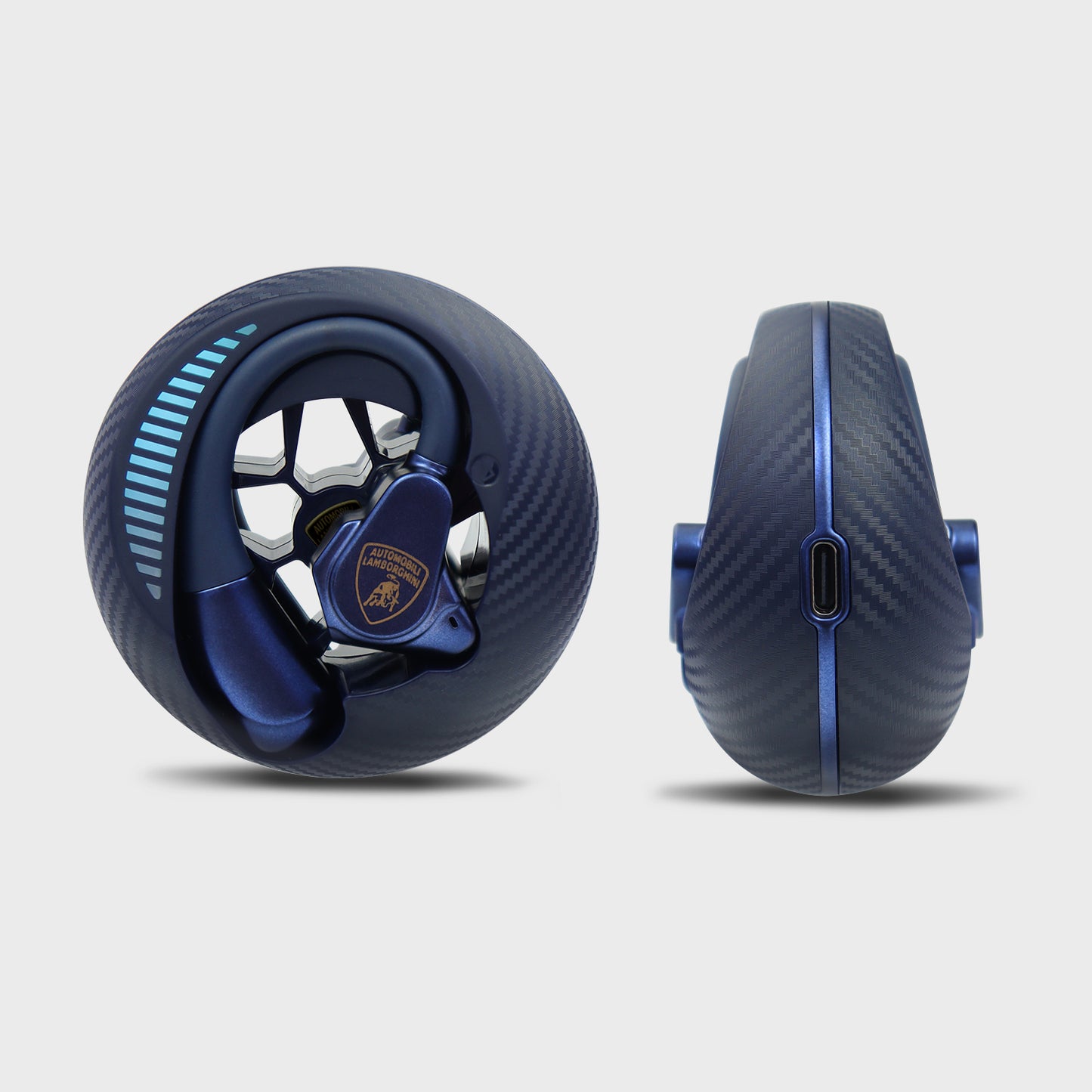



Lamborghini Bluetooth 6.0 True Wireless Earphones OWS Open Ear Earbuds - AE D1
Lamborghini Bluetooth 6.0 True Wireless Earphones OWS Open Ear Earbuds - AE D1
Couldn't load pickup availability


Lamborghini Logo
Dolby Audio
Open-ended design
Flagship S5 audio processor
Dual device connectivity
AI-powered two-way HD calling
IPX7 waterproof rating
AI voice assistant
Motion control
Design: Lamborghini elements, hollowed-out structure, sharp lines, directly evoking the user's perception of supercar mechanical aesthetics.
Charging case design: Echoing the lightweight design of Lamborghini supercars, enhancing visual sophistication. Reduces fingerprints, balancing practicality and aesthetics.
Core Functions: DT9.0 air-directional sound transmission technology, precisely delivering sound without leakage. Advanced acoustic design achieves directional sound transmission or prevents sound leakage, ensuring users receive a precise and clear listening experience.
Comfortable fit in the ear canal: Skin-safe materials + memory foam frame, safe and comfortable for extended wear without itching or pain, redefining comfort.
Titanium-plated diaphragm, delivering powerful bass and treble.
Large dual-diaphragm drivers deliver exceptional detail and realistic sound quality. Deep, powerful bass and bright, clear mids and highs bring you an extraordinary auditory feast.
AI Noise Cancellation
DENOISE ENC 8.0 intelligent noise cancellation technology uses AI to eliminate noise and achieve superior clarity. Its unique acoustic design eliminates ambient and wind noise, ensuring clear calls anywhere.
360° Dolby Audio
360° immersive surround sound, bringing you to the action. ACS adaptive algorithm and surreal spatial audio create a multi-dimensional, surround sound experience.
New Bluetooth 6.0: Faster speed and stronger signal.
Upgraded Bluetooth 6.0 technology enables lossless audio transmission, ensuring accurate reproduction of every note.
Perfect audio-visual synchronization, lag-free gaming, and fast, stable connections.
Large-capacity battery for extended playback time.
Smart touch controls for complete freedom. A simple tap is all it takes to get what you need.
Technical Specifications:
Product Name: OWS Earphone
Bluetooth Version: V6.0
Frequency: 2.4~2.48GHz
Battery of Charger Case: 300mAh
Horn Specifications: Φ13.0mm
Operation Range: ≥10 meters
Frequency Response: 50-20 KHz
Speaker Sensitivity: 112db±3db
Listening Time with Charging Case: ≈20 Hours
Introduction
The LB-OWS-AE-DI is a wireless Bluetooth earphone designed for listening to music and answering calls, even during activities like fitness. Ensure your mobile device is compatible before use.
Safety Instructions
Please read these safety instructions carefully and store them for future reference.
- Avoid getting the device wet, as water damage may cause malfunction.
- Do not store or use the device in environments below -15°C or above 55°C, as this can shorten the lifespan of the earphones or batteries.
Parameters
| Parameter | Details |
|---|---|
| Model | LB-OWS-AE-DI |
| Bluetooth Version | V6.0 |
| Bluetooth Range | 10 meters |
| Play Time | 6 hours |
| Charging Time | 1.5 hours |
| Endurance Time | 21 hours |
Accessories
- User Manual *1
- Type-C Charging Cable *1
Charging
Initial Charge: Before first use or after prolonged non-use, charge the earphones for 10 minutes before use.
Low Battery Indicator: When the earphone battery is low, a "low battery, please charge" message will be emitted, and the orange light will flash twice every 3 seconds.
Charging Earphones: Place the earphones into a fully charged charging case. The orange light will remain on while charging and turn off when fully charged.
Charging Case: The charging case has a built-in battery. Use a Type-C cable to connect the case to a computer or other charger. The ice blue light will pulse during charging and remain solid when fully charged.
Using Headphones
- Insert earphones correctly into the charging case. If the indicator light is not constantly on, charge the case for over 10 minutes.
- Close the charging case.
- Remove earphones; they will automatically enter pairing mode.
- On your mobile device, activate Bluetooth and search for "LB-OWS-AE-DI" to connect.
Key Functions
Charging Case Operations
The charging case controls playback and volume.
| Action | Function |
|---|---|
| Single Click | Play/Pause music |
| Double Click | Next Song |
| Long Press (2 seconds) | Volume Up (+) |
Diagram Description: The charging case is depicted with essential ports and indicators: an LED Lamp hole for status lights, a Type-C Charging interface for power input, and Charge PIN needles for connecting to the earphones.
Headset Operations
Control music playback, calls, and voice assistant with the touch-sensitive areas on the earphones.
| Action | Left Earplug | Right Earplug |
|---|---|---|
| Single Click | Answer/End Call | Play/Pause Music |
| Double Click | Previous Song / Volume Down (-) | Next Song / Volume Up (+) |
| Long Press (3 seconds) | Reject Incoming Call | Activate Voice Assistant (SIRI Mode) |
Diagram Description: The earphone (headset) is illustrated, highlighting key areas: the Earphone sound hole for audio output, the Microphone/light hole for communication and status indication, the Touch button area for controls, and Charge PIN needles for connection within the charging case.
Single Ear Usage
When using only one earphone, the following controls are available:
| Action | Function |
|---|---|
| Single Click | Play/Pause music |
| Double Click | Next Song |
| Long Press (2 seconds) | Volume Up (+) |
Note: The single ear usage controls primarily mirror the functions of the right earplug for playback and volume.
Troubleshooting: Pairing Reset
If the left and right earphones cannot be paired:
- While not connected to a phone, press each earphone 6 times (operate both left and right).
- After 6 clicks, the orange light will flash 4 times, and the earphones will shut down, completing the reset.
- Place the earphones back into the charging case, then remove them to re-pair.